Contact Us

Leanworx tracks production in real time, straight from your CNC machines. See parts made against target hour by hour, know the moment a machine falls behind, and get production reports that fill themselves in. No clipboards, no end-of-shift guesswork.
Real-time production tracking for Fanuc, Siemens, Mitsubishi, Haas and Brother controllers.
Used by manufacturers including TaeguTec India, SSS Springs, Zenith Precision and RBD Engineers.
Demo data for illustration.
Counts production directly from the controllers already on your machines
Production monitoring software tracks manufacturing output in real time by collecting data directly from machines. It shows parts produced against target, cycle times, downtime and production losses for every machine and shift, and generates production reports automatically, so managers can act during the shift instead of after it.
In most shops, production is still tracked by hand. Operators write counts on a board or sheet, a supervisor types them into Excel, and the daily production report reaches management the next morning. By then a machine that fell behind at 10 a.m. has cost a whole shift.
A production monitoring system counts parts straight from the CNC controller. Output, targets and losses are visible as they happen, on a screen in the office, on a TV on the shop floor and on your phone. You can read more about the basics in what a production monitoring system is.
Real-time production tracking, loss tracking and reporting in one system, built for machine shops.
See parts made against target for every machine, cell and shift, updated continuously. Machines falling behind stand out immediately.
Track output every hour against the hourly target, the way an hourly production report should work, without anyone filling it in.
Every stoppage, slow cycle and rejected part is captured, so you can see exactly where production was lost and how much it cost. Learn more about production loss tracking.
Stoppages are logged with exact start and end times, and operators tag the reason. See how a production downtime tracker turns this into a priority list.
Production efficiency and OEE are calculated automatically for every machine and shift. Try the numbers in our production efficiency calculator.
Daily, shift and hourly production reports are generated for you and ready for the morning meeting. No spreadsheets, no copying numbers. See our approach to production reporting.
Actual cycle times come from the controller and are compared with the standard, so slow programs and setups that drag output down are easy to spot.
Show live production against target on andon boards for operators, and check any plant from your phone with remote monitoring.
Real screens from Leanworx: the production views your supervisors and plant heads use every shift.

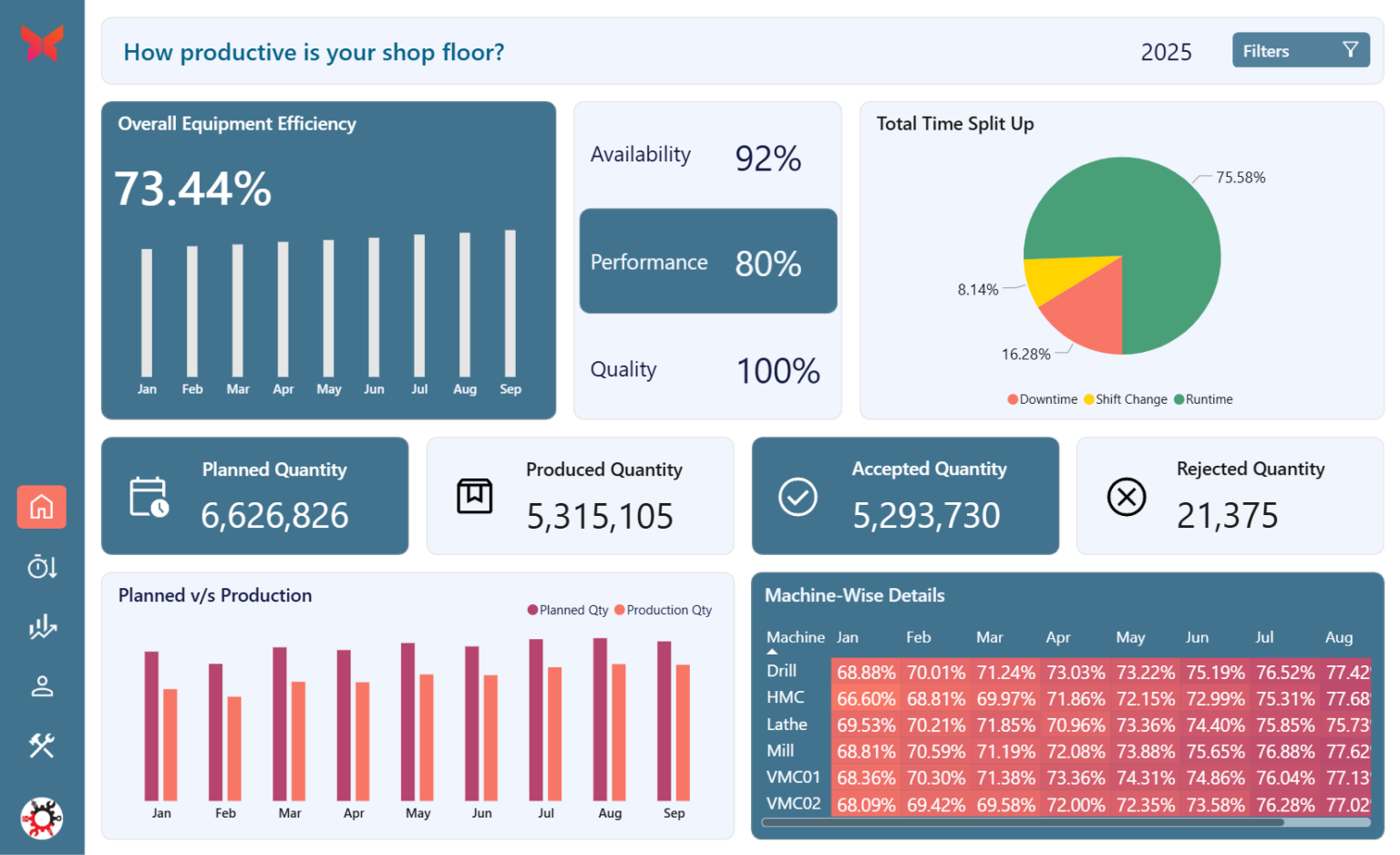
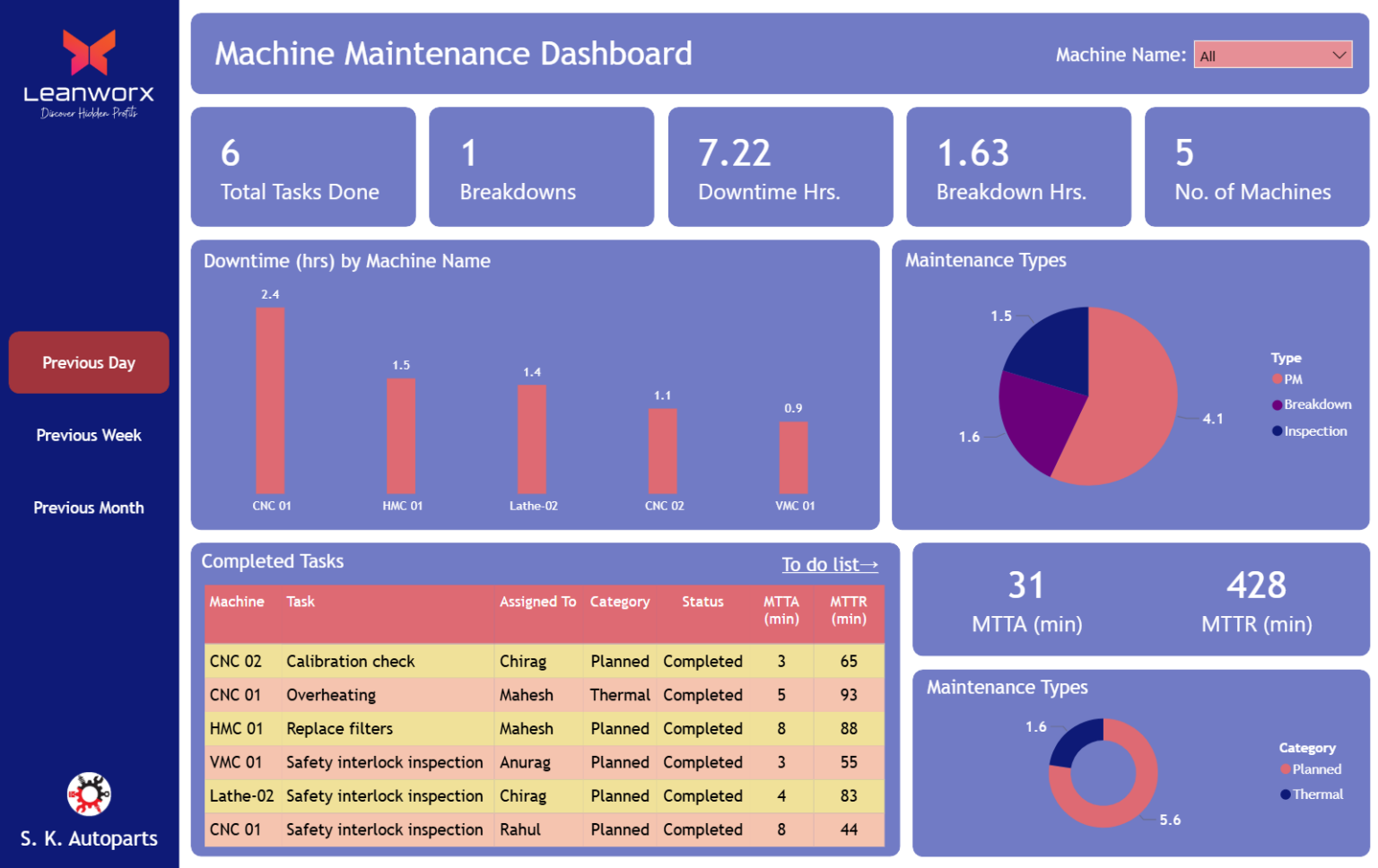
Most of it comes straight from the machine. Operators only add what a machine cannot know.
| Data | Where it comes from | What you use it for |
|---|---|---|
| Parts produced | CNC controller | Output against target, per hour, shift and day |
| Machine status | CNC controller | Running, idle and down time for every machine |
| Cycle times | CNC controller | Spotting slow cycles and comparing with standard times |
| Downtime reasons | Operator, tagged at the machine | Ranking the causes that cost the most production |
| Rejected parts | Operator entry | Quality losses and rejection analysis |
| Efficiency and OEE | Calculated by Leanworx | Comparing machines, shifts and operators over time |
Three steps from manual production tracking to live production data.
Leanworx reads data from each machine's controller over your shop network. Part programs and operator routines stay exactly the same. Older machines can be connected through an IoT device.
Part counts, cycle times and stoppages flow in continuously and are compared with your hourly and shift targets automatically.
Live dashboards and reports show which machines are behind and why, so supervisors can recover output during the shift, not explain it the next day.
Why shops replace production boards and Excel with a production monitoring system.
| Boards, sheets and Excel | Leanworx | |
|---|---|---|
| Part counts | Written down by operators | Counted by the machine |
| Seeing a shortfall | End of shift or next morning | Within the hour it happens |
| Lost production | Unexplained gaps in the numbers | Every loss tied to a cause |
| Production reports | Hours of typing every week | Generated automatically |
| Night shift visibility | Depends on what is reported | Same live data, every shift |
| Trust in the numbers | Depends on who filled it in | Same method, every machine, every time |
What manufacturers say after moving to real-time production monitoring.
Overall, I see at least 8 to 10% efficiency improvement, especially OEE and the spindle run time. Setup time has been reduced and we can see an improvement of at least 10 to 12% production improvement.
More output from one shift fewer
We've seen a lot of OEE improvements because now we can understand the parts, the spindle runtime, how effectively we are running. It's actually helped us to move from 3 shifts down to 2 shifts with more output. So we've moved from about 30% spindle utilization to now over 55% spindle utilization.
Morning reports that drive decisions
With Leanworx we have been able to bring down our machine downtime by about 30% and increase in OEE by 10 to 15%, which is a huge saving. We have been getting fantastic results out of it. The reports that we generate every morning give us a good insight on the productivity and the performance of the operator as well as the machine.
25% less night-shift downtime
Our downtime has decreased by 10%. The downtime, especially in the night shift, has reduced by more than 25%, which is a very, very important thing for us and is contributing a lot towards our productivity.
Exact data for supervisors
It takes hardly 10 minutes for a person to connect to the machine. I can tell you that we are able to reduce the downtime, and we are able to improve productivity. The middle level supervisors and managers are also satisfied with the exact data that they are getting from the Leanworx system.
No more arguing about the data
After implementing Leanworx we are no longer discussing the quality of data or accuracy of data. Discussion revolves around what can be done to improve productivity. Looking at the benefit of utilizing and improving the equipment utilization, the incremental cost that we incur by paying the subscription is very small and it's a good value proposition from our point of view.
Numbers they can stand behind
When a customer asks, what is your OEE? We say 85%. Are we really at 85%? I don't think so. After installing Leanworx and improving systems, it's 88 when we finally checked the last time. So that's a substantial advantage.
Leanworx Lite gives smaller shops live production counts, automatic daily reports and downtime tracking without an IT team. Start free and connect your first machines yourself.
Try Leanworx free See plans and pricingFor 20 or more machines, or several plants, our team plans the rollout with you and sets up production dashboards for supervisors, plant heads and management.
Book a walkthroughProduction monitoring software tracks manufacturing output in real time by collecting data from machines. It shows parts produced against target, downtime, cycle times and production losses for every machine and shift, and generates production reports automatically.
The terms are often used interchangeably. Production tracking usually means recording what was produced, while production monitoring adds real-time visibility of machines, targets and losses as they happen. Leanworx does both.
Leanworx connects to each CNC controller over your shop network and counts parts, cycle times and stoppages automatically. The data is compared with your targets continuously and shown on dashboards, andon boards and phones.
Yes. Daily, shift and hourly production reports are generated automatically from machine data, so nobody has to collect counts or type them into Excel.
Every stoppage is recorded with its duration and reason, slow cycles are compared with standard times, and rejected parts are logged. Together they show exactly where production was lost and which causes to fix first.
No. A production monitoring system focuses on machine output, targets, downtime and efficiency. An MES covers wider processes such as scheduling, inventory and quality records. Many shops start with production monitoring because it is quicker to set up and shows results sooner.
Results depend on your starting point. Leanworx customers report gains such as 10 to 12% more production at CIM Tools and more output from two shifts instead of three at Aaran1 Engineering.
Leanworx is a subscription priced by the number of machines, and you can try it free on your own machines first. See current plans on the pricing page.
Yes. Leanworx Lite is designed for job shops with a few machines and no dedicated IT team. Many small shops start by replacing their daily production report.
Connect a machine and watch parts, targets and losses update in real time. Your programs stay exactly as they are.
Try Leanworx free